About Us

Inventory you can trust, built for how Africa sells

A ledger-backed core today, with warehouse floor operations on the way.

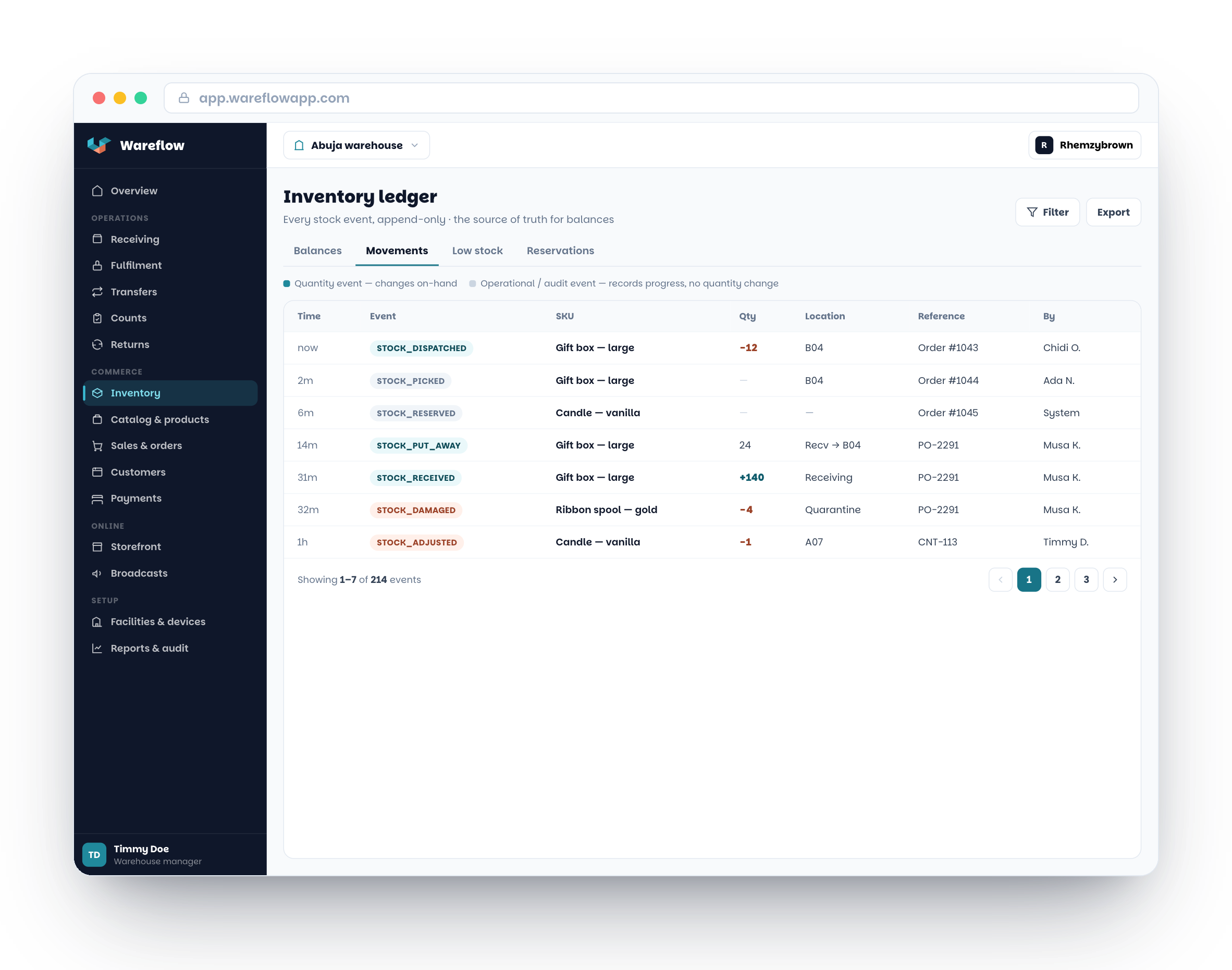
Design preview of the Wareflow inventory ledger with warehouse movement types that are rolling out

Design preview. Receiving, put-away and dispatch events are rolling out.

From recording stock to running the warehouse floor

Wareflow connects your inventory, sales, stores and warehouses on a single append-only ledger, so every movement of stock is traceable. Today that is a live web dashboard for catalog, stock, sales and an online storefront. Warehouse floor workflows are next.

Commerce today, floor operations next

Inventory, sales, customers, reports and the storefront are live. Receiving, put-away, picking, packing, dispatch, counts and returns are rolling out. Android, queueing scans offline and WhatsApp alerts are planned.

We say what is live

Our roadmap marks every capability Live, Rolling out or Planned, so you can buy on what works today and see what is coming.

Common questions

Wareflow is inventory and sales software for African retailers and distributors. The live web dashboard covers your catalog and barcodes, stock by location, sales and orders, customers, reports, team roles and, on Premium, an online storefront. Warehouse floor workflows (receiving, put-away, pick and pack, counts, returns) and scan workflows on iPhone are rolling out. See the roadmap for what is live and what is not.

Inventory uses an append-only ledger. Every change creates an immutable event recording who, what, where and when. Cached balances speed up the screens, but the ledger remains the source of truth. Counter sales and storefront orders consume the same balances.

Not today. The web dashboard and the iPhone app need an internet connection. Keeping scans queued when the connection drops is planned, but it is not available yet, so please do not rely on Wareflow where the network is unreliable.

A web browser and an email address. Create an account at dashboard.wareflowapp.com/register, verify your email and set up your business. The iPhone app is optional, and Android is planned but not available yet.

The web dashboard is live: log in or sign up at dashboard.wareflowapp.com. The iPhone app is coming to the App Store. Android is planned. There is no Android app and no Google Play listing yet.

Every new business starts on a free tier with small limits, and no card is needed to sign up. Paid plans (Basic, Business and Premium) raise the limits, and only Premium includes the online storefront. Prices are in naira for businesses in Nigeria and in US dollars elsewhere. See the pricing page for current prices and limits.

Wareflow plans are paid through Flutterwave, for a month or a year at a time. Plans do not renew automatically: you renew from the Plan & billing page, and we send a reminder before the period ends. If a period ends unpaid there is a 3-day grace period, after which the business returns to the free tier. Your data is kept, but the free-tier limits apply and a Premium storefront goes offline.

On Premium you connect your own Paystack, Stripe or Flutterwave account, and your customers pay through it. That is separate from how you pay for your Wareflow plan, which is always through Flutterwave.

You can close your account from Settings, then Account, in the web dashboard. Your account and the businesses you own are archived for 30 days, and signing back in during that time restores them. After 30 days the account can no longer be restored and its data is permanently deleted, apart from records we must keep by law. There is no self-serve export button yet: email support@wareflowapp.com before you close and we will arrange an export of your data.